

What you get
Built around your day.
Set up in an afternoon
Create your organisation, add people and pick a plan.
Decide who sees what
Roles, groups and approvals that match how you work.
Know what you pay
Per-member pricing, caps with alerts, and invoices you can read.
Watch
AffordEnterprise overview
A tour of the platform: Workspace, Marketplace, Studio and Talents.
Read the transcript
AffordEnterprise overview. AffordEnterprise has seven products that fit together. This video tours each one: who it is for, and what you do there.
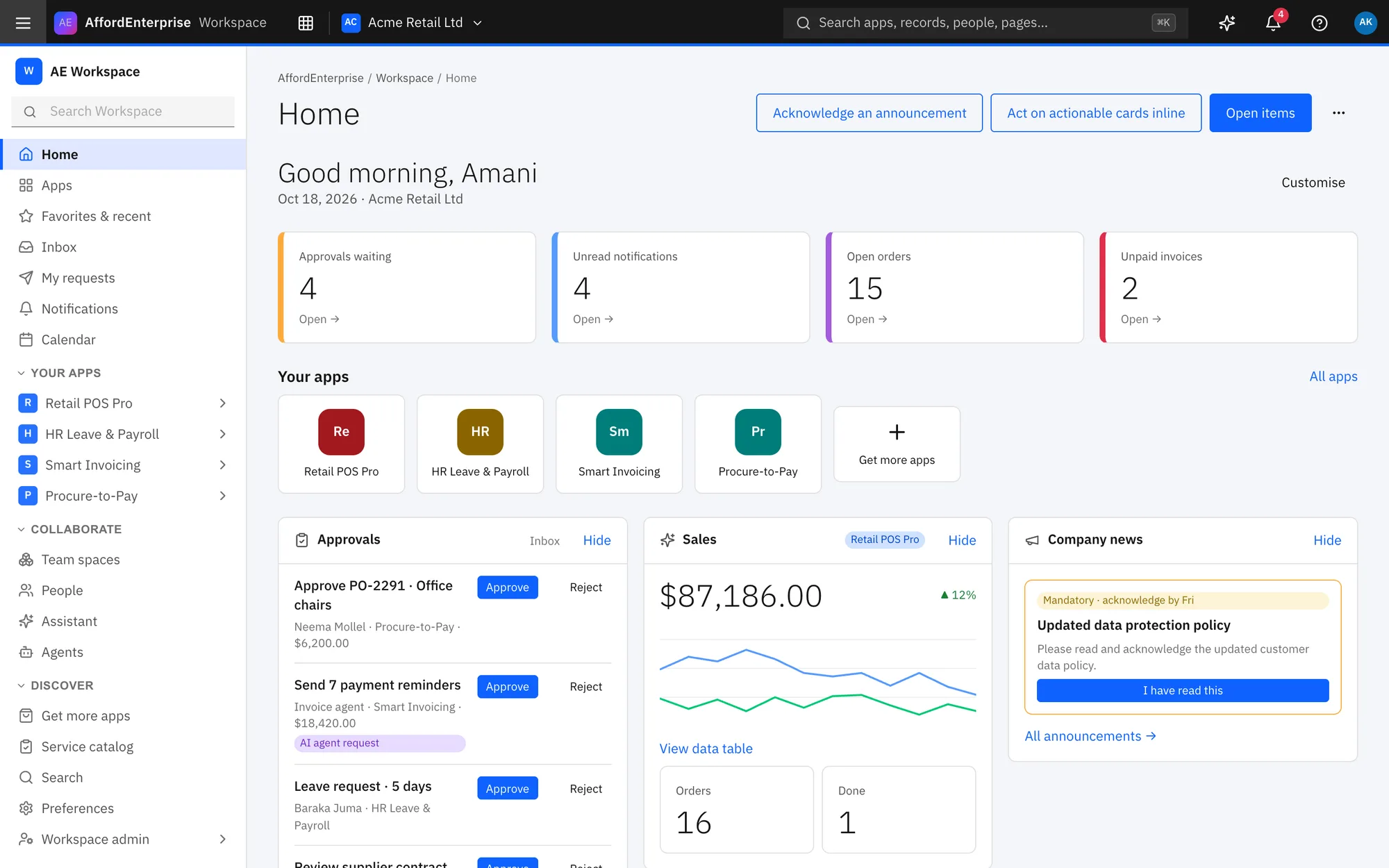
The Workspace is where people do their daily work. Getting started lists first steps; hide it or ask to be reminded tomorrow.
The tiles count what is waiting for you, such as approvals and unread notifications.
Your apps opens the apps you use most.
Choose To do, Snoozed, Done or All.
Select a task.
Select Approve or Reject after writing a comment.
The Marketplace is where you find and buy apps, and where providers sell them. Type what you need in the search box and press Enter.
Select a category chip, such as retail, to narrow the list.
Select Collections to see sets of apps that editors have put together.
Select See plans to jump to the prices.
Read Pricing: each edition shows its price, whether it is per seat, and any free trial.
Select Buy Team to go to checkout for that edition.
Studio is where you design, build, test and release apps. Select New project to start one.
Search with Find a project.
Change the Sort.
Select New entity.
Switch to Diagram to see lookups as arrows.
Select an entity to edit it.
Select Create release.
Select Edit pipeline to change the stages.
Select Run tests against a stage.
Talents connects you with certified builders, and builders with work. Type a name or skill in Search talent.
Select Post a project to describe work you want done.
Select Browse jobs if you are looking for work.
The signatures and access date show the contract is active.
Select Fund into escrow to put a milestone's money in escrow.
AffordAI is where you build and govern agents. Select New agent.
Select an agent to open its designer.
Select Run to try it in the playground.
Choose the Autonomy: suggest only, ask before acting, or act within limits.
Set Most steps and Most cost for one run.
List Blocked topics.
Tick the risk classes the agent may use.
AI is on for this organisation stops every agent when off.
Set the Monthly budget.
Tick Mask personal data.
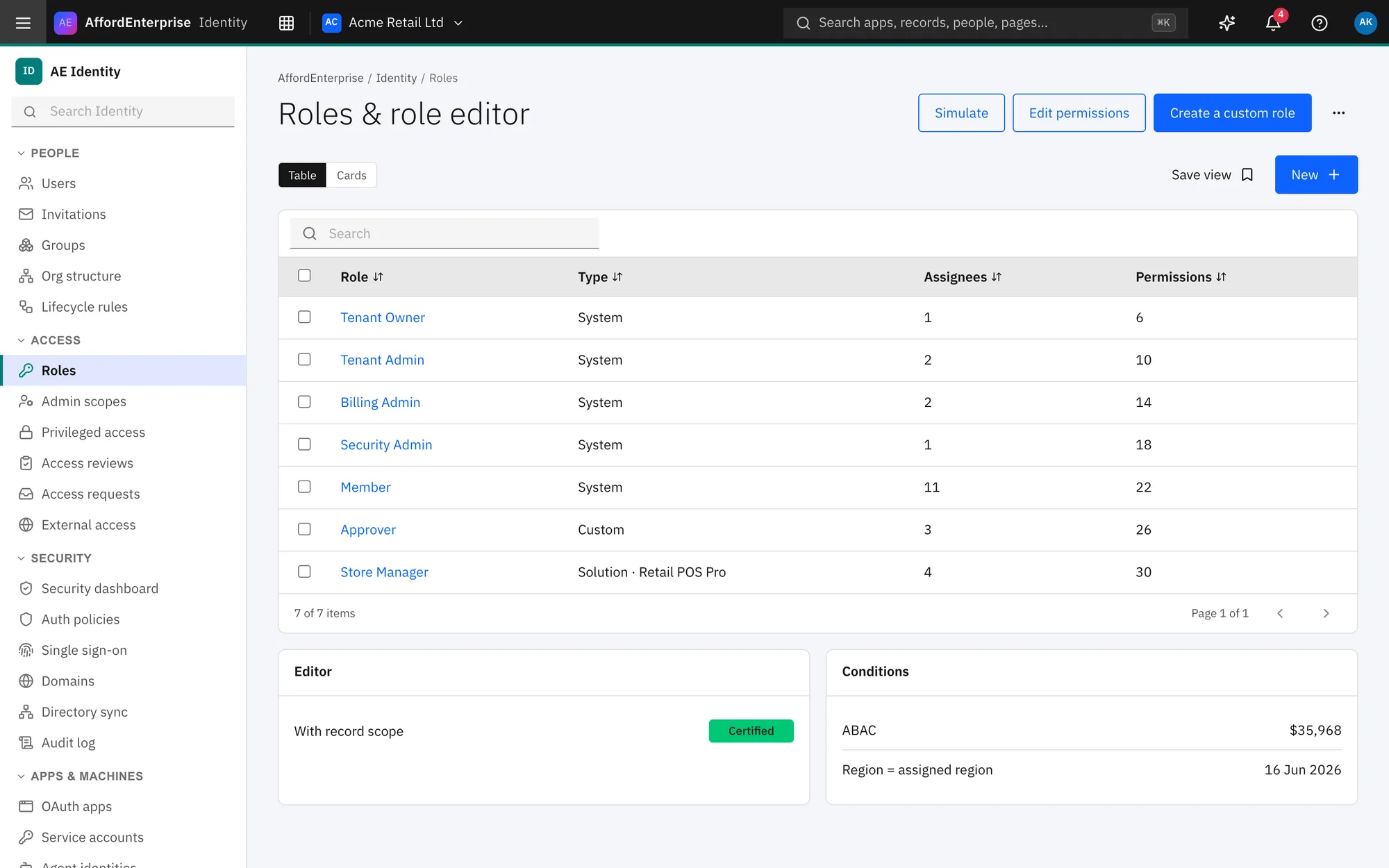
Identity holds your people, roles, security and licences. Type a name or email in Search.
Filter by Status: Active, Suspended or Deactivated.
Filter by Role.
Select Create a custom role.
Select Simulate to check why someone has or lacks a permission.
Use View to open a role and Clone to copy it.
The tiles count members, administrators, verified domains, single sign-on and sync tokens.
What to do next lists what to fix.
Select the button on an item, such as Open domains, to go and fix it.
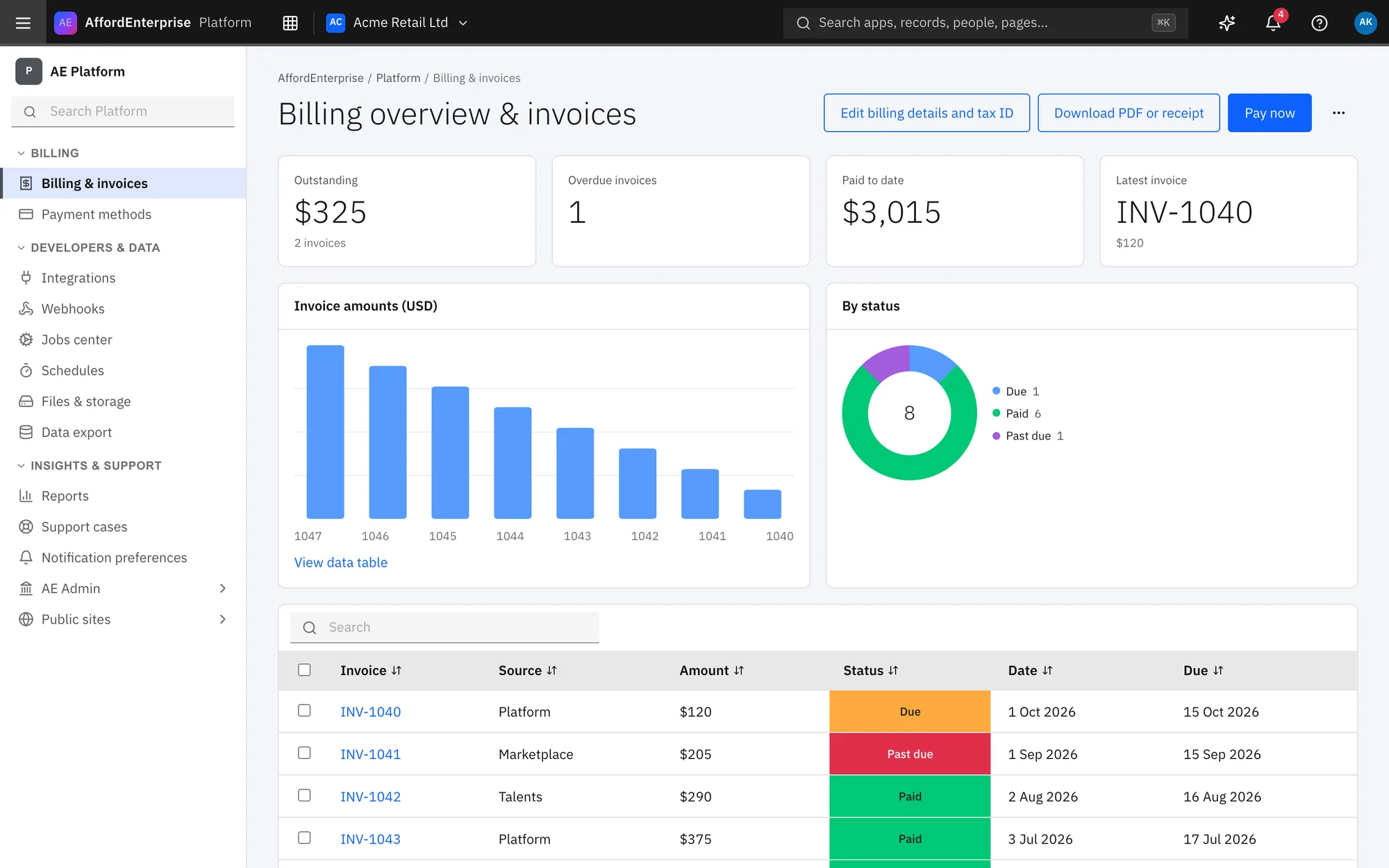
Platform holds billing, support, notifications and the developer tools. Enter the Legal name that goes on invoices.
Optionally enter your Tax ID. AE Finance verifies it.
Select Add contact to add someone who gets billing emails.
Select New case.
Use Search cases, Status and Priority to find one.
Select Create an endpoint.
Select Check success rates to read each endpoint's recent delivery health.
Select an endpoint to open it.
That is it. To read the steps again, open the guide: Home, Tasks and approvals inbox, Storefront home, Listing detail, Studio home and projects, Domain model (ERD).
Ready when you are
Open AE and look around.
See the product for yourself. The guide and demo videos are there when you want help.